Meeting Planner Guide
Time Zone Meeting Planner Guide
A time zone meeting planner helps you compare cities, find overlapping working hours, and choose a meeting time that works for people in different locations.

Why it matters
A meeting planner turns time zone confusion into clear choices.
Global scheduling gets difficult when every participant is looking at a different clock. A planner makes the comparison visible so teams can avoid late-night meetings, protect work hours, and send invites with more confidence.
Planner basics
What is a time zone meeting planner?
A time zone meeting planner is a scheduling tool that compares local times across multiple cities or time zones. Instead of manually converting hours, you can quickly see which meeting windows are convenient, difficult, or unfair for each person.
The best planners show more than a clock conversion. They help reveal overlap windows, business-hour conflicts, daylight saving changes, and local-time details that make scheduling easier.
For remote teams, clients, freelancers, and global partners, this prevents confusion before the meeting invite is sent.
How to use it
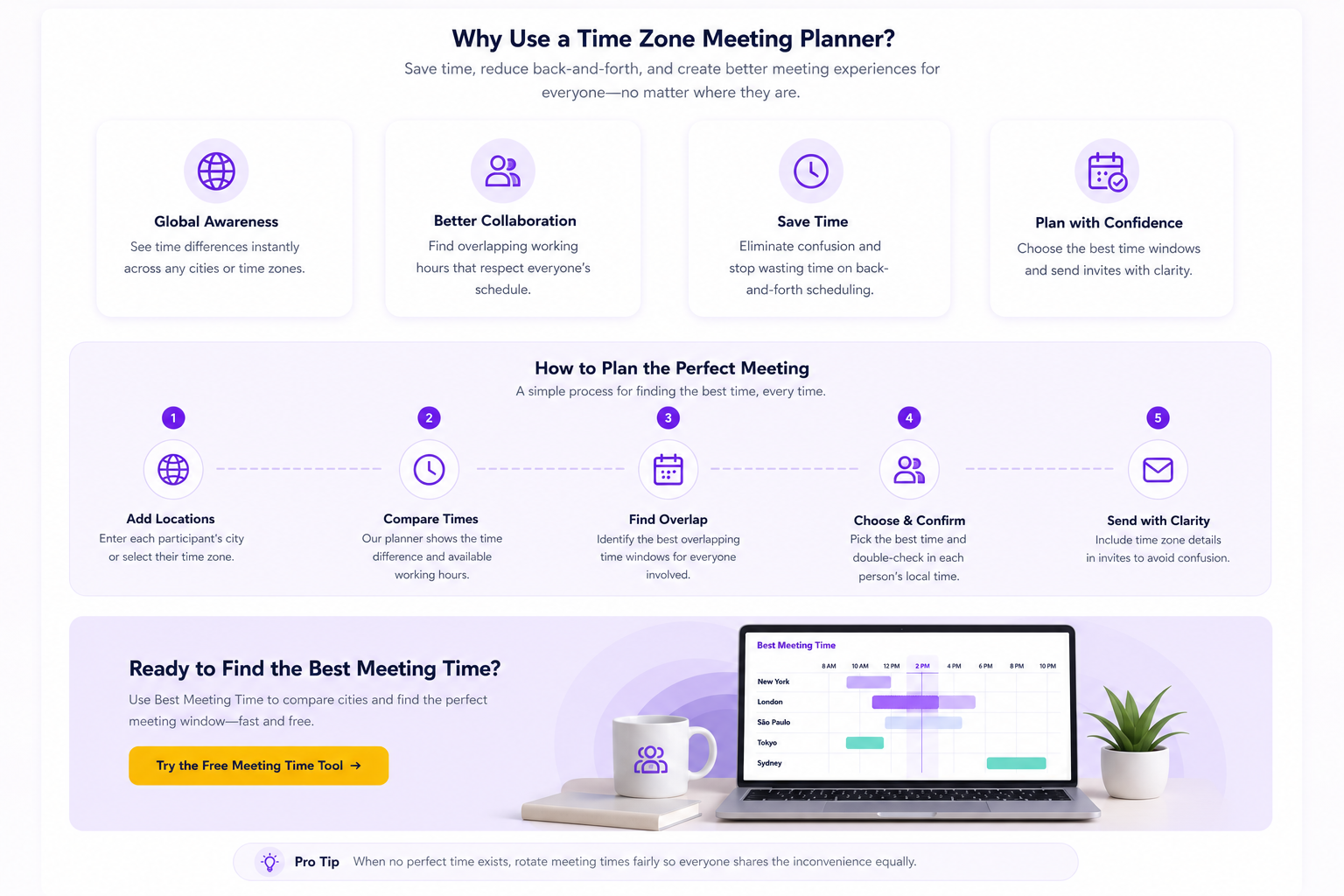
Use a planner before the invite goes out.
Enter each participant’s city or time zone first so the meeting comparison starts with accurate local context.
Review whether the proposed time lands inside normal working hours before anyone receives the invite.
Look for meeting windows that balance availability across cities instead of favoring one location.
Send the meeting invite with clear local-time context so every attendee knows exactly when to join.
Example overlap
How do recommended meeting windows work?
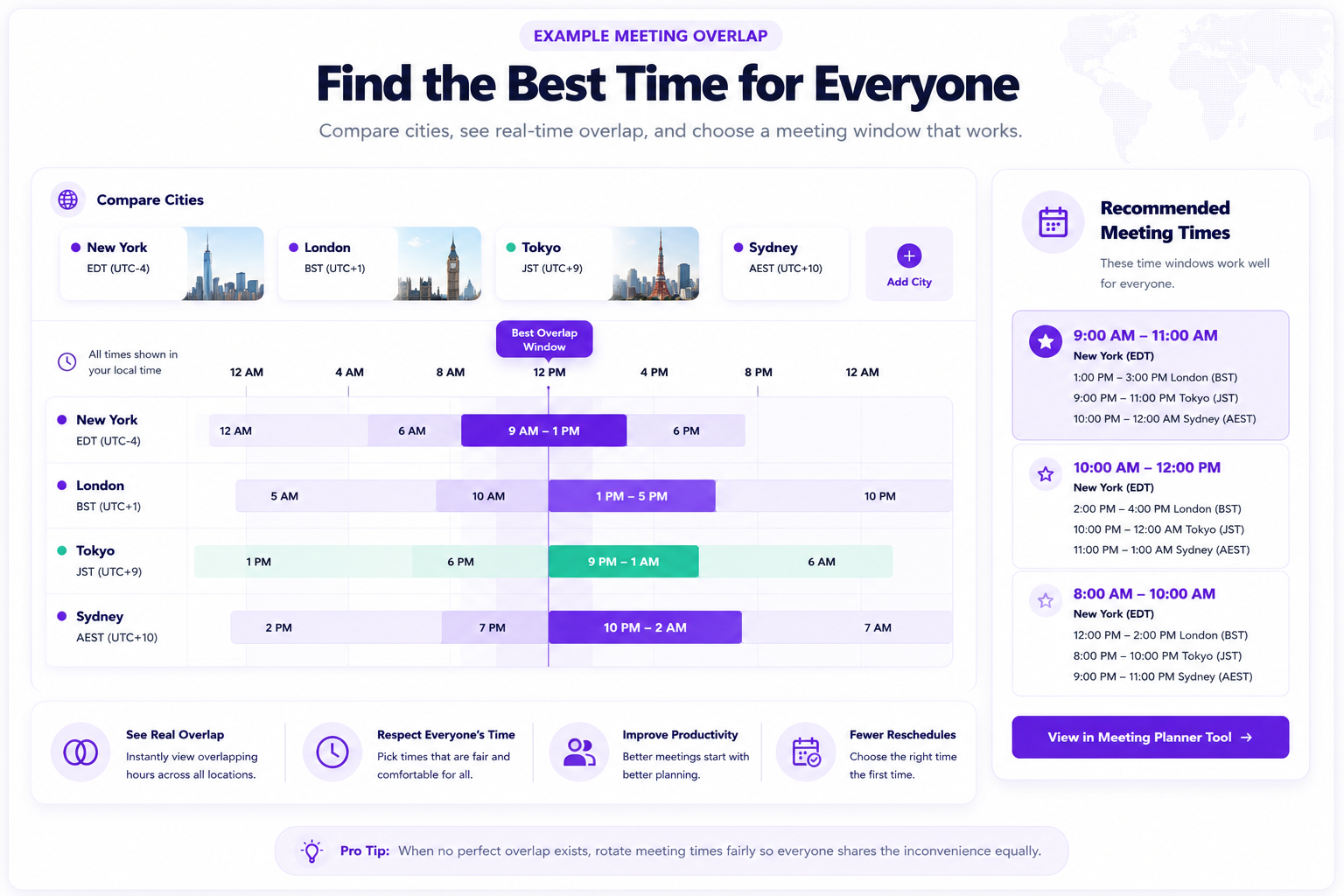
A good meeting window balances the local time for each participant. For example, a New York morning meeting may work well for London, but it may be late evening in Tokyo or Sydney.
A planner helps you spot that tradeoff before someone receives a bad invite. Instead of guessing, you can compare the cities side by side and choose the least disruptive option.
When no perfect time exists, rotate meeting times so the same region does not always carry the inconvenience.
Common planning mistakes
Most bad meeting times happen before anyone checks the overlap.
Time differences change with daylight saving time and location.
A meeting that works for one person may be terrible for another.
Work hours, weekends, holidays, and commute times can matter.
Quick answers
Time Zone Meeting Planner FAQ
What does a meeting planner compare?
It compares cities, local times, time zones, and overlapping working windows so you can choose a better meeting time.
Why not just convert the time manually?
Manual conversion is easy to get wrong when multiple cities, daylight saving time, or changing schedules are involved.
What is a good global meeting time?
A good time usually lands inside normal working hours for most participants and avoids very early or very late local times.
Plan faster
Find a better meeting time before you send the invite.
Use Best Meeting Time to compare cities, review overlap windows, and schedule global meetings with less confusion.