Teams often schedule around the main office because it feels familiar. That can quietly push early, late, or awkward meetings onto teammates in other regions.
 Schedule a MeetingFree to try — no sign-up
Remote Work Scheduling
Why Remote Teams Struggle With Scheduling
Remote teams do not usually struggle because people are careless. They struggle because work hours, daylight saving changes, local expectations, and time zone overlap all compete at the same time.
Compare Meeting TimesNo sign-up required
Core issueOne meeting can be fair for one city and exhausting for another.
Best fixCompare local times before sending the invite.
Team habitRotate difficult windows when perfect overlap does not exist.
What Goes Wrong
Most remote scheduling problems come from a few repeat patterns.
The same mistakes show up across distributed teams: headquarters gets priority, time zone abbreviations are guessed, daylight saving changes are missed, and the same region keeps absorbing bad times.
A calendar may show people are technically available, but that does not mean the meeting is reasonable for focus, family time, or normal working hours.
When one country changes clocks and another does not, a familiar meeting time can suddenly move by an hour without everyone realizing it.
One late call may be manageable. Repeating that pattern every week creates frustration, lower attendance, and weaker collaboration.
Real Example
A normal morning meeting can become a late-night burden.
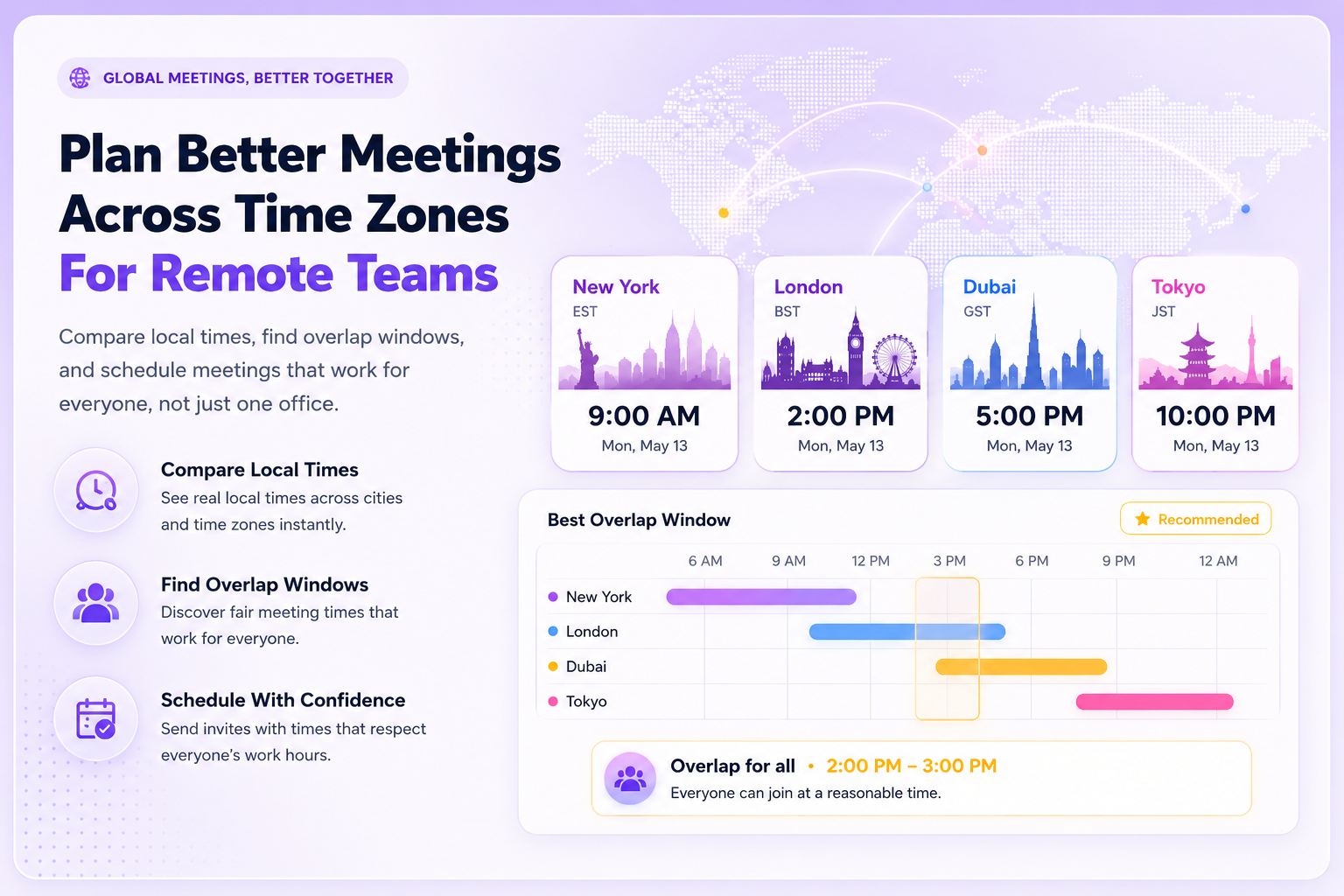
A 9:00 AM meeting in New York may be easy for the organizer and reasonable for London, but it can land late in Tokyo. That is why remote teams need to evaluate local impact, not just calendar availability.
New York9:00 AMOrganizer friendly
London2:00 PMGood overlap
Tokyo11:00 PMToo late
Better Scheduling Habits
Remote teams improve scheduling when they use a repeatable process.
City names are clearer than EST, CST, GMT, or other labels that may change with daylight saving time.
A better meeting time should respect the normal workday for every important region involved.
When no perfect time exists, choose the least disruptive window rather than the easiest time for one office.
If a meeting must be inconvenient, rotate that burden so the same people are not always affected.
Status updates, quick decisions, and routine notes often do not require a live meeting.
If one region is always joining early or late, adjust the schedule before frustration becomes normal.
Quick Checklist
Before sending a remote team invite, check these items.
Check each participant’s local city time.
Confirm the meeting does not land too early or too late.
Watch for daylight saving changes between countries.
Rotate difficult time slots across regions when needed.
Use notes or async updates when live discussion is not necessary.
Plan Better Meetings